
Awesome, thanks lads. I'm also a migrant from teddy.io's Session Manager. Love this version. You've done a great job reproducing this great extension for MV3.
Gav Col - GTS
Verified review · Oct 2025Save, organize and restore browser sessions, tabs and tab groups in one click. Keep your work organized with local-first storage and optional cloud sync when you need it.
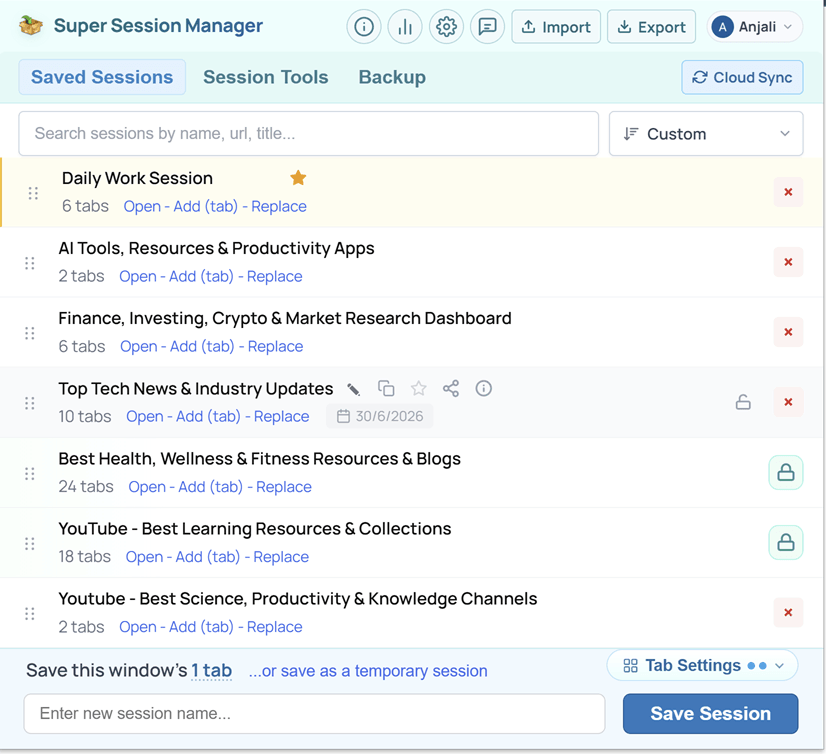
The ultimate browser session toolkit. 25 built-in utilities that save time, reduce clutter & manage multiple tabs effortlessly.
Open Bulk URLs — Paste mixed text — every link opens in the current or a new window.
Copy All URLs — Export open tabs or saved sessions as plain text, Markdown, TXT, or CSV.
Extract URLs — Pull http(s) links from pasted text — copy, open, or save as a session.
URL Cleaner — Strip utm_*, fbclid, gclid, and other tracking params in one click.
Dedupe URLs — Remove duplicate links while keeping first-occurrence order.
Close Duplicate Tabs — Scan the window and close tabs that share the same URL.
Session Stats — Tab totals, duplicates, inactive tabs, and top domains at a glance.
Extract Domains — Pull unique hostnames from URLs — copy or download the list.
Tab Suspender — Sleep inactive tabs to free memory — click any tab to wake it.
Share Session Pages — Publish tabs to a shareable link at sessionmanager.net/share/session-page-url
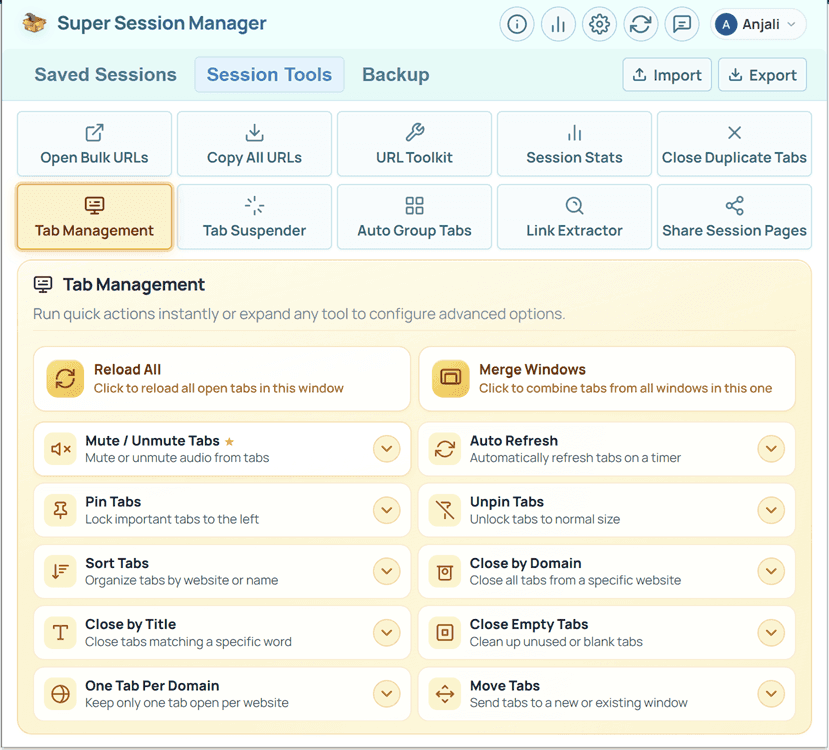
Built for power users who juggle research, work, and reading — all at once.
Save as many named tab groups as you need right on your device.
Open, Add or Replace tabs from any saved session or temp sessions.
Keep important sessions at the top to prioritize daily workflows.
Fine-tune what gets captured when you save with a footer popover.
Automatic backups help you recover recent browser states automatically
Sync named sessions to your account for multi-device access.
Pro keeps edits current across machines without manual sync
Reorder your list by how you actually use sessions (favorites stay on top)
Find sessions by name, URL or title and inspect tabs before restoring
See useful session context at a glance to select sessions easily
Ten built-in utilities for URL lists, tab cleanup, and memory management
Publish a saved session to a public link on sessionmanager.net
Built-in backups & exports for recovery, migration & peace of mind.
Save tabs instantly without naming — perfect for in-progress work.
Pro saves your Chrome tab groups — names, colors, order etc.
Track sessions, tabs, and storage from the header chart icon easily
No Ads
No ad networks inside the extension.
No Tracking
No invasive cross-site tracking.
No Data Selling
Your private & session data is never sold.
No Login Required
Works locally without an account.
Local Storage First
Default saves stay on your device.
Export Anytime
Export sessions whenever you want.
User Controlled Sync
Cloud Sync is optional and secure.
Transparent Permissions
Permissions match the features you use.
Your tabs belong to you. By default, Super Session Manager stores sessions locally in your browser and does not upload them unless you explicitly enable Cloud Sync.
chrome.storage.local on your device only, unless you choose to sync to securely access your saved sessions across multiple browsers and devices.Spend less time managing tabs and more time doing meaningful work — without breaking focus.
Drag, Drop, Done — Reorder sessions — custom sort keeps your layout intact.
Search Before You Open — Find sessions by name, URL, or tab title instantly.
Preview Before Open — Inspect saved tabs before you restore a session.
Pin Favorites — Daily workflows stay at the top of your list.
Temp Sessions — Capture this window instantly — no naming required.
Keyboard Shortcuts — Save or restore without leaving the keyboard.
One-Click Restore — Open, Add, or Replace — you choose how tabs return.
Rolling Auto-Snapshots — On-device backups recover recent states silently.
Tab Groups Preserved — Pro saves group names, colors, order, and collapsed state.
Stats at a Glance — Sessions, tabs, most used, last used, and storage in one tap.
Sort Your Way — Custom, date, last opened, or most used — favorites lead.
Import & Export — Move sessions between browsers with JSON anytime.
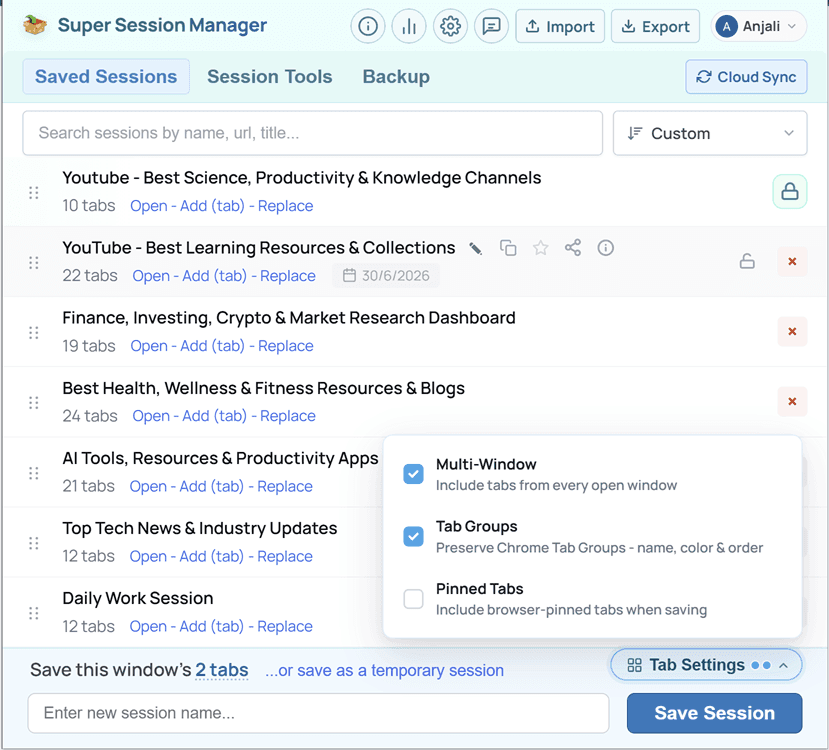
Save and restore tab sessions, with optional cloud sync when you sign in.
Real reviews from people who manage their browser sessions with Super Session Manager every day.
Expert articles on tab management, session saving, and Chrome productivity.